

Dallas-Fort Worth, TX
Do I need new phones or faster internet to switch my DFW office to VoIP?
Usually not new phones, and often not faster internet. Desk phones are optional, because each extension also works in a desktop, browser and mobile app. Voice is light on bandwidth: about 100 Kbps each way per call. What matters more is a steady connection, enough upload, a network switch that can power any desk phones, and battery backup.
Book a DemoUpdated October 2026 · Cleod9 Voice, Arlington, TX
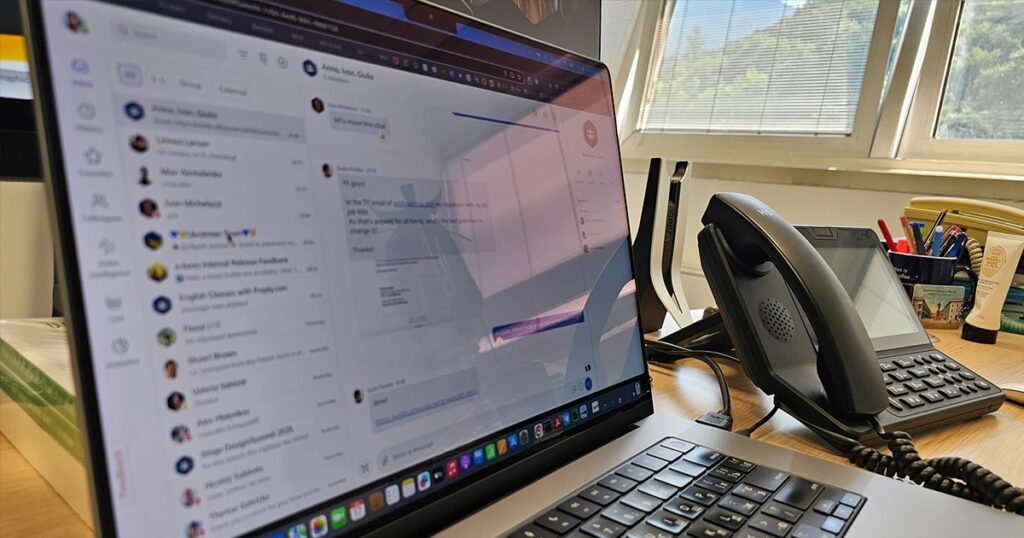
Desk phones optional
One extension works on a desk phone, a desktop or browser app, and a mobile app.
Calls are light
One voice call needs about 100 Kbps each way. Ten people on calls use about 1 Mbps each way.
Upload matters most
Cleod9 recommends planning for at least double the minimum on upload, so check upload, not just download.
Power the closet
A battery backup on the modem, router and network switch keeps desk phones up through short outages.
The short answer: check before you buy
A cloud phone system does not care much what device you answer on. The phone system itself runs in the provider’s data center. Each person’s extension follows them to a desk phone, a desktop or browser app, and a mobile app, so a desk phone is one option among three rather than the price of admission.
That changes the shopping list. Offices moving off landlines often need fewer new phones than they expect, and their internet is often closer to ready than they fear. What they usually do need is an afternoon of checking: which desks really want a handset, whether the network closet can power and protect those handsets, and whether the internet connection is steady enough, especially on upload.
This page goes through those checks in the order a consultant would walk them in a typical office in Lewisville or Garland: the phones, then the bandwidth, then the connection type, then the closet.
Who should still get a desk phone
Desk phones are optional, not obsolete. For some jobs a physical handset is simply better: it is always there, it never needs charging, nobody has to find a headset, and a new hire understands it in five seconds. For others, the app on a laptop and a cell phone does the job and frees up the desk.
A useful rule: buy handsets for the places where the phone rings all day or where the person answering changes. Give apps to the people who move around. An office can mix the two, and the mix can change later without touching anyone’s number.
- The front desk or reception, where the phone rings constantly and calls get transferred all day.
- Shared spots such as a warehouse counter, a shop floor, a nurses’ station or a break room.
- People who spend most of the day on calls and want a handset and dedicated buttons.
- Conference rooms, if your meetings regularly include people dialing in by phone.
- Is anyone mostly in the field, at home, or between offices? They are usually better served by the mobile app.
What about the phones you already have
This is the question to ask in writing rather than assume. Handsets plugged into a phone jack on the wall were built for landlines. Phones tied to an older on-site system in the closet were built for that system. Some offices find a few handsets they can keep, and some find none. Ask the provider which of your current models, by make and model number, will work on the new platform before you plan around reusing them.
Then check the wiring. An IP desk phone connects to the office network, not to a phone jack. Older buildings, especially ones that have had a few tenants, sometimes have phone jacks at every desk and network jacks at only some of them. Walk the office and note which desks that need a handset have a working network jack. Some desk phones can share a single network jack with the computer beside them, so ask whether the models you are considering do.
People using the app on a computer mostly need a decent headset. That is a small purchase that makes a large difference to how they sound.
How much bandwidth VoIP actually uses
These are per-call minimums from Cleod9’s own guide to internet speed for VoIP and video calls. They are smaller than most people expect, which is why speed is rarely the real problem.
One voice call needs about 100 Kbps down and 100 Kbps up.
A one-on-one HD video call needs about 1.5 Mbps each way.
A group video meeting of four to six people needs about 2.5 to 4 Mbps down and 3 Mbps up.
An office of ten on calls only uses about 1 Mbps each way.
Adding a screen share costs about 1 Mbps more. Now add it up for a busy hour in a small office in Grapevine: ten people on the phone while one of them runs a six-person video meeting and shares a screen. The phones need about 1 Mbps each way, the meeting up to 4 Mbps down and 3 Mbps up, and the screen share about 1 Mbps more. Even added together, that stays under 10 Mbps in either direction. Cleod9 recommends planning for at least double the minimum on upload, and leaving room for everything else the office does online, such as cloud backups and large file uploads.
Steady beats fast: what to test, and where
A call can sound bad on a fast connection and fine on a modest one, because voice quality depends on three numbers more than on raw speed. Latency is the delay for audio to make the trip. Jitter is how much that delay wobbles from moment to moment. Packet loss is the share of audio that never arrives. Cleod9’s internet guide sets targets for your connection: latency under 150 ms, jitter under 30 ms and packet loss under 1%. When people describe choppy audio, robotic voices or people talking over each other, one of these three is usually out of range.
Start with the free C9 Speedtest to see where your connection stands. Run it more than once: first thing in the morning, mid-afternoon when the office is busiest, and from the desks where people actually take calls rather than from the chair next to the router.
Run it over Wi-Fi too, if that is how laptops and cell phones will connect. Wi-Fi is where jitter and packet loss tend to creep in, from distance, walls and a crowded office network. For desk phones, a wired network connection is the steadier choice. For app users on Wi-Fi, a test from their usual spot tells you more than any spec sheet.
Business broadband
Business broadband is the cheaper option and the one many small offices already have. The bandwidth is shared with other customers in the area and delivered on a best-effort basis, so performance can vary with the time of day and what the neighborhood is doing.
For a small office that mostly makes calls, broadband that passes the C9 Speedtest at busy hours is often enough. The number to look at is upload. Many plans advertise a big download figure and a much smaller upload figure, and upload is what carries your voice and your camera to the other side.
If the tests come back marginal, the fix may be a better broadband plan rather than a different kind of connection.
Dedicated internet access (DIA)
Dedicated internet access gives the office symmetrical bandwidth, meaning upload matches download, backed by a service level agreement. It is not shared the way broadband is, and it costs more.
DIA earns its price when the phones are the business: a contact center, a busy medical practice, a law firm with heavy video use, or an office of dozens of people on calls and meetings at once. It is also worth a look when an office’s upload needs outgrow what broadband in that building can deliver.
Cleod9 can quote a better business connection for your address, either DIA or broadband, so you can compare both against what you pay now.
The network closet: power and protection
VoIP desk phones need two things a landline phone took for granted: power and internet. The power often comes from a PoE network switch. PoE stands for power over Ethernet, and it means the same network cable that carries data to the phone also powers it. If your switch does not supply power, each phone needs another way to get it, which means more cords at more desks.
Then protect the closet. Spring thunderstorms in North Texas bring short power interruptions, and summer heat strains the grid. Put the modem, router and network switch on a battery backup, and desk phones ride through a short outage. For a long one, like the outages a winter ice storm can bring, no closet battery is enough. That is when calls rerouted to the mobile app or other numbers matter, and that routing has to be set up in advance. The guide to keeping business phones working through an internet or power outage covers the rest of that plan.
- Does the network switch supply PoE power, and does it have enough capacity for every desk phone you plan to buy?
- Are the modem, router and network switch all plugged into a battery backup?
- Is there a working network jack at every desk that needs a handset?
- Does the closet stay cool enough in August, with the door closed?
- Has inbound call rerouting to the mobile app been set up before the first storm, not during it?
Common questions
Can an office run VoIP with no desk phones at all?
Yes. Each person’s extension works in a desktop or browser app and a mobile app, so an office can run entirely on computers and cell phones with headsets. Calls and texts from the mobile app show the business number, not the employee’s personal number. An office can start app-only and add a handset later for the front desk. Adding one does not change anyone’s number or extension.
Is our current internet plan fast enough for VoIP?
Possibly, and you can find out for free. A single call needs about 100 Kbps in each direction, and even ten simultaneous calls come to only about 1 Mbps, so speed is rarely the issue. Steadiness is. Run the C9 Speedtest at busy hours, check upload as well as download, and plan for at least double the minimum on upload. Cleod9’s internet guide also sets targets for your connection: latency under 150 ms, jitter under 30 ms and packet loss under 1%.
Do VoIP phones work over Wi-Fi?
The desktop and mobile apps work over Wi-Fi, as long as the connection meets the quality targets: latency under 150 ms, jitter under 30 ms and packet loss under 1%. Wi-Fi is where those numbers tend to slip, especially far from the access point or through several walls. For desk phones and for people who are on calls all day, a wired connection is the steadier choice.
Do we need a PoE switch for VoIP desk phones?
It is a common way to power them, and often the simplest. A PoE switch sends power over the same network cable that carries data, so each phone needs only one cable. Without one, every handset needs another power source at the desk. If you plan to buy desk phones, check whether your current switch supplies PoE and has enough capacity for all of them, and put it on a battery backup.
Should a small office pay for dedicated internet access?
Not automatically. Business broadband is cheaper and is often enough for a small office that mostly makes calls, as long as it passes speed tests at busy hours with enough upload. DIA gives symmetrical bandwidth backed by a service level agreement, and it makes more sense for larger offices, heavy video use, or phone-centered businesses. Cleod9 can quote either for your address.
What happens to VoIP desk phones when the power goes out?
They go dark unless the modem, router and network switch are on a battery backup, which carries them through short outages. The call logic lives in the cloud rather than in your closet, so incoming calls can be sent to the mobile app or to other numbers while the office is dark. Set that up in advance, before storm season, not during an outage.
Talking to Cleod9
The cheapest hardware decision is the one made after testing. Run the speed test at a busy hour, then walk the office with a notepad and write down which desks truly need a handset, which have a working network jack, and what in the closet is plugged into a battery backup. The full sequence for a switch is in the landline-to-VoIP switching plan, and the platform is described on the Cleod9 VoIP page.
Cleod9’s support is local: you deal with someone in your own time zone who can come on site if needed. Its booking page offers a free test drive. Before you buy a single handset, ask what the test drive includes and whether your staff can use it on your own internet connection.