

Garland, TX
VoIP Phone System for Garland TX Law Firm Offices
When a Garland firm prices a new phone system, the quote usually contains one desk phone per desk. Nobody asked for that; it is simply the shape a quote takes, and it carries an assumption the firm never examined.
Book a Demo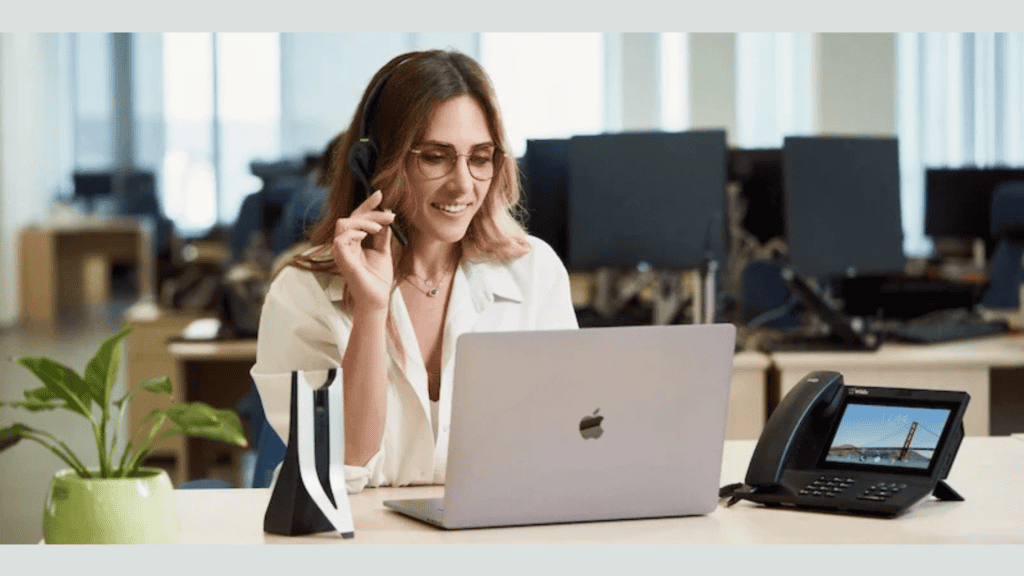
The assumption is that a phone is a piece of furniture that belongs on every surface where somebody sits. That was true when a phone was the only way to make a call from a building. It is not true now, and firms that never revisit it pay for hardware that sits unused for years.
The opposite mistake is just as common. A firm that buys nothing physical and puts everybody on a computer application discovers that two or three positions genuinely needed a phone, and those are the positions where it matters most.
Cleod9 provides cloud communication for Dallas-Fort Worth businesses. This page is about deciding what hardware a firm actually needs and where it goes. It is operational guidance, not legal advice.
Start from who takes calls, not from who has a desk
Sort the firm's people into three groups, honestly. It takes twenty minutes and it settles almost everything.
Heavy. The front desk, anybody who answers the main line, and anyone whose day is substantially spent on the phone. Usually two or three people in a small firm.
Regular. Attorneys and paralegals who make and take a meaningful number of calls but are not answering for the firm. The largest group.
Occasional. People who make a handful of calls a week and mostly work in other ways.
The first group needs proper equipment and it is not the place to save money. The third group frequently needs no dedicated hardware at all. The middle group is where the actual decision lives, and it depends on how those people work rather than on their title.
The heavy positions are worth equipping properly
Whoever answers the firm's main line spends hours a day on calls, transfers constantly, and is the voice a caller judges the firm by.
Give them a physical phone with real buttons, a headset, and a second line appearance if the firm's arrangement supports it. Transfers in particular are far easier with dedicated keys than with a mouse, and transfers are what the front desk does more than anything else.
This is also the position where a bad setup costs the most. A front desk fumbling a transfer, or dropping a call while looking for the right control, is a caller's impression of the firm forming in real time.
The application on a computer is a real option
For attorneys and paralegals who already work with a computer open, the application is frequently better than a desk phone rather than a lesser version of one.
It shows who is calling with more context, it makes reaching a colleague a search rather than a lookup, it keeps the call history somewhere useful, and it travels. The same person working from home or from a courthouse cafeteria has the firm's phone with them without carrying anything extra.
What it needs to be usable is a decent headset and a machine that is not already struggling. Somebody trying to take calls through laptop speakers, in an office with other people, will conclude the system is poor when the problem is the twenty dollars the firm did not spend.
Where a physical phone still earns its place
Four situations, and they are worth funding without argument.
Anywhere somebody answers for the firm, as above. Any position where the person's hands are frequently occupied with paper rather than a keyboard. Any shared space where whoever is present needs to be able to make a call without logging into anything. And any position where a person genuinely prefers one, because a tool somebody dislikes is a tool they work around.
That last point is not sentimentality. A partner who will not use the application will use their mobile instead, and then the firm has calls happening on a personal number, which costs far more than a handset.
Shared spaces are usually under-served
The conference room is the most common gap. A firm that never put a phone there discovers it during the first call where three people need to be in a room together, and the workaround is somebody's mobile on speaker in the middle of a table.
Think about the shared spaces the firm actually has. A conference room where calls happen with more than one person present. A library or work room where somebody might need to reach the front desk. A reception area. A file room, if the firm has one that people spend real time in.
Those positions do not need to be sophisticated. What they need is to exist, so that being in that room does not mean being unreachable or having to walk somewhere to make a call.
The offices where the phone never rings
Walk the firm and look at the handsets. In most offices, several of them have not been touched in months.
They belong to people whose calls arrive on a mobile, whose work is not phone based, or who use the application without thinking about it. The handset sits there because it came with the office.
That is not a crisis and it is money. Before renewing or expanding, count how many devices are genuinely in use, which the system's own reporting can tell you by extension. Firms doing this for the first time typically find a quarter of their handsets are effectively decorative.
The cost of a device is not the device
A handset has a purchase price and then a series of smaller costs nobody quotes.
Whatever the arrangement charges per device or per user. The network port and the cabling, if the position does not already have one. The time somebody spends configuring it, and again when it moves. The support conversations when it misbehaves. And its replacement in a few years.
None of those are large and together they mean a device that goes unused is not free to keep. It is a small recurring cost with no return, repeated across however many positions the firm over-provisioned.
Headsets matter more than handsets
Firms will debate desk phone models for an hour and buy whatever headset is cheapest, which is exactly backward.
The headset determines what the caller hears and what the staff member's day feels like. A poor one produces background noise, echo, and the fatigue that comes from holding a handset against a shoulder for six hours.
It also improves privacy at any position where other people are nearby, since the caller's voice is not audible to the room. In an open reception area that is a meaningful benefit rather than a comfort.
Standardize on one model across the firm. It costs nothing extra and it makes every subsequent support conversation one conversation rather than six.
Equip the position, not the person
A device assigned to a person moves when they move, gets forgotten when they leave, and has to be reconsidered every time somebody changes offices.
A device assigned to a position stays where it is and whoever occupies that position uses it. That is the arrangement that survives staff changes, which in a small firm happen more often than office rearrangements do.
It also simplifies the arrival and departure checklists. A new person gets an account and sits at a position that already has what it needs, rather than triggering a small procurement exercise.
Start lean and add
The right approach for most firms is to under-buy deliberately, then add within the first two months.
Equip the heavy positions properly, put the shared spaces on the list, give everybody else the application with a decent headset, and see what happens. The people who genuinely need something else will say so within a fortnight, and their reasons will be specific.
This is much cheaper than the alternative, which is buying a device for every desk and never finding out which ones were unnecessary because nobody counts what they already own.
Confirm during setup that adding a device later is straightforward and what it costs, so that starting lean is a decision rather than a commitment.
What every position needs regardless
Whatever the device, three things are worth checking at each position.
A wired network connection where possible, particularly for anybody on calls for long stretches. Wireless is convenient and is the most common cause of quality complaints in a small office.
Somewhere to take a call that is not audible to a waiting client. Firms often have only one such place and have never identified it.
And a way for the person to reach the front desk quickly, since internal reach is used more than most people expect and is the thing most often left unconfigured.
Common questions
Can attorneys just use their mobiles?
Through the firm's application, yes, and it is a legitimate arrangement. Through their own numbers, no, because the firm loses the number, the record, and the ability to cover when that person is away.
How many devices does a ten-person firm actually need?
Commonly three or four physical phones plus shared spaces, with everybody else on the application. It varies with how the firm works, which is why the three-group exercise matters more than any general figure.
Should the conference room have a dedicated speakerphone?
If the firm holds calls with several people in the room, yes, and it is one of the better purchases available. If that happens twice a year, an ordinary phone is fine.
What about a phone in the reception area?
Only if somebody sits there. A handset on an unstaffed reception desk rings where nobody is, which is worse than having none, because callers hear it ringing out.
The decision, on one page
Everything above fits into a short exercise before any quote is accepted:
- The three groups, with names in each.
- Physical phones and headsets for the heavy positions.
- The application plus a decent headset for everybody else.
- The shared spaces, listed and equipped.
- A count of existing handsets and how many are actually used, from the system's reporting.
- The per-device costs beyond the purchase price, established in writing.
- Confirmation that adding a device later is easy and what it costs.
- Devices assigned to positions rather than to people.
Let people try both for two weeks
Most firms decide this in a meeting, from preferences people hold before they have used either option. Two weeks of actual use settles it better than any amount of discussion.
Where the choice is genuinely open, give the middle group the application first and keep a small number of spare handsets. Then ask at the end of a fortnight who wants one and why. The answers are specific and they are usually not the people who said they would in the meeting.
The reasons that come back are worth hearing. Somebody who works standing up at a filing cabinet. Somebody whose computer is slow enough that a call means waiting for a window. Somebody who shares an office and needs a call to be quieter. Each of those is a real requirement and none of them are visible in advance.
It also produces the opposite finding, which firms rarely expect. People given a desk phone by default frequently stop using it within a month once they discover the application, and those handsets then sit there for five years because nobody revisits the decision.
The firm that is about to move or grow
Hardware decisions look different when the firm expects to change shape within a year or two.
A firm about to move should buy less, not more. Devices have to be unplugged, transported, and set up again at the other end, and a position that turns out not to exist in the new layout has been paid for twice. The application travels at no cost.
A firm expecting to add people should confirm what adding a user costs and how quickly it can be done, then buy for the firm it is rather than the one it hopes to be. Hardware bought in advance of hiring sits in a cupboard, and it is frequently the wrong model by the time anyone needs it.
The one thing worth over-providing for either case is the network. Cabling and ports are the part that is expensive to add later and cheap to include while somebody is already working on the space, and it is the constraint firms most often hit a year after moving in.
Talking to Cleod9
Cleod9 is a Dallas-Fort Worth provider supporting its own customers, so a Garland firm works with someone in the same metro rather than a distant queue. The platform is described on the Cleod9 services page.
Bring the three groups rather than a headcount. It produces a quote shaped like the firm rather than like the building, and it makes the specific questions easy to ask: what is charged per device against per user, what adding one later involves, what the application needs to run well, and what the shared spaces should have. The count of what the firm already uses is the other half, and the system's own reporting will tell you.